
One photo. One dance. Eight seconds.
Bonito Bonito AI Baby Dance Generator
Make your baby dance to Bonito Bonito from one photo.
Upload one clear baby photo to create an 8-second dance video with music. Get a 720p, 9:16 MP4 to preview, save and share — no prompts or video editing needed.
- One photo in · one dance out
- 8s · 720p · 9:16 MP4 with music
- One-time credit packs · no subscription
Packs from $5.99 · No subscription
Bonito Bonito baby dance — real video generated from one photo
Real sample · generated from one baby photo. Your own result will vary.
The studio
Create your Bonito Bonito baby dance
Choose one photo of your baby, check the output specs, and generate the Bonito Bonito dance. Each video uses 60 credits.
Your baby's photo
One baby, face clearly visible
Your baby's photo
Choose a photo
JPG, PNG or WebP · up to 10 MB
- One baby per photo, face sharp and well lit
- A JPG, PNG or WebP up to 10 MB
- Between 300 and 6000 px on each side
- Only use photos of your baby or a child you have permission to post
Video output
Output: 8 seconds · 720p · 9:16 · MP4 with music
Generate dance video · 60
60 credits per video · charged when the task starts · returned automatically if the generation fails
By generating, you confirm the photo shows your baby or a child you have permission to use, and follows our Terms of Service
Preview the Bonito Bonito dance made from one baby photo
Bonito Bonito baby dance sample · generated from one photo, not from yours.
What is the Bonito Bonito AI baby dance?
Bonito Bonito AI is an AI baby dance generator that turns one photo of your baby into a video set to Bonito Bonito. The dance, length, music and format are preset, so you can make a baby photo dance without writing a prompt or editing a video.
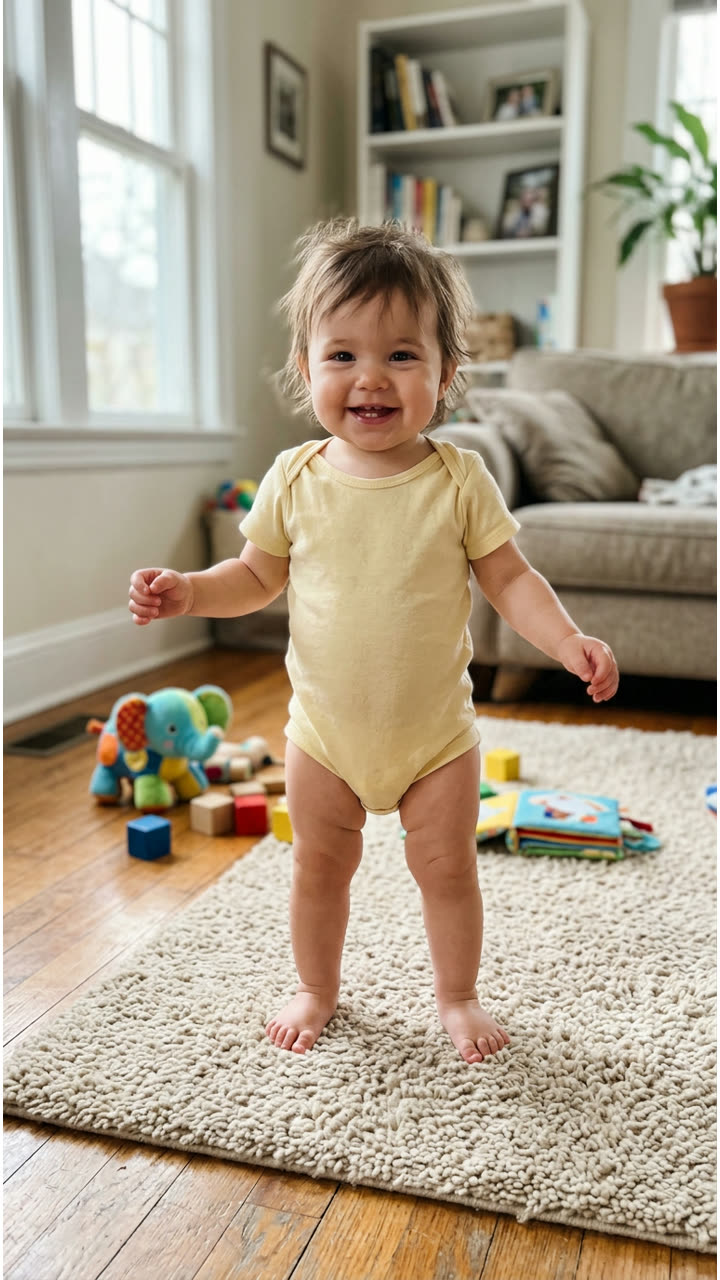
- Your photo sets the sceneYour baby becomes the dancer, keeping their face, hair and clothing. Choose a photo where the face is sharp and well lit — this sample page's video was made from the photo shown here.
- A preset dance, adapted to babiesThe Bonito Bonito choreography, timing and music are preset and adapted to your baby's proportions. The output: 8 seconds, 720p MP4 in 9:16, with music.
- A clip to review and saveWatch the full result in your works, then download the MP4. AI generation can vary from the original photo — review before sharing.
In and out
From baby photo to dance video
You provide the photo. The dance, length, music, resolution and portrait format are preset. No prompt field, no reference-video upload, no editor.
What goes in
- You provideOne clear photo of your baby — JPG, PNG or WebP up to 10 MB.
- We provideThe Bonito Bonito dance, the music and the preset output settings.
What you get
- 018-second MP4 download with music
- 02720p HD · portrait 9:16
- 03Ready to preview, save and share
How it works
How to make a Bonito Bonito baby dance video
Choose a photo, generate, and download. No editing skills needed.
Step 1
Choose your baby's photo
Pick a clear JPG, PNG or WebP photo. Keep the face visible, sharp and well lit.
Step 2
Generate the dance
Each video uses 60 credits. Generation usually takes a few minutes — you can close the page and come back.
Step 3
Watch and download
Preview the full 8-second result in your works, then download the MP4.
Built for one delightful moment
One photo in: a baby dance video out. Simple enough for a keepsake, fast enough for a text message.
All you need is one photo
Upload one photo of your baby to set the scene. There is no video file to upload and nothing to write.
The Bonito Bonito dance
The same joyful preset choreography and music every time, adapted to your baby's face and proportions.
HD, ready to post
A 720p HD MP4 in 9:16, 8 seconds long, with music, sized for sharing.
Simple credits
One-time credit packs, no subscription. Each video uses 60 credits; failed generations return their credits automatically.
No watermark
Download the MP4 without a watermark. Review the result and follow the usage rules before sharing.
Private by default
Your uploads and results are not automatically published. Delete completed or failed works from your account to block site access and start file cleanup; cleanup can be delayed.
One dance video, 60 credits
One-time credit packs. Every dance video costs 60 credits — no subscription, and pack credits never expire.
Starter
For one special little moment.
Includes
- 60 credits = 1 dance video
- One-time credit pack
- 8s · 720p · 9:16 MP4 with music
- Failed generations return their credits automatically
One-time payment with PayPal. Credits never expire.
Plus
PopularTwo dances for the family chat.
Includes
- 120 credits = 2 dance videos
- One-time credit pack
- 8s · 720p · 9:16 MP4 with music
- Failed generations return their credits automatically
One-time payment with PayPal. Credits never expire.
Family
Keep the dances coming.
Includes
- 300 credits = 5 dance videos
- One-time credit pack
- 8s · 720p · 9:16 MP4 with music
- Failed generations return their credits automatically
One-time payment with PayPal. Credits never expire.
Bonito Bonito baby dance FAQ
What parents ask before their first dance video
What does Bonito Bonito AI do?
It turns one photo of your baby into the preset Bonito Bonito dance video: 8 seconds, 720p MP4 in 9:16, with music. You choose the photo; the dance, music and output settings are preset.
How do I make a Bonito Bonito baby dance video from a photo?
When generation is available, choose one clear photo of your baby in the generator above, sign in with enough credits, and select Generate dance video. When it is ready, preview the result in your works and download the MP4. The dance and music are already set, so you do not need a prompt or a reference video.
Do I need CapCut or a Bonito Bonito template?
No. Bonito Bonito AI works in your browser with its own preset dance. You only upload a baby photo; you do not need to install CapCut, find a template link or upload a dance video. This is an independent generator and is not affiliated with CapCut.
Does the video include Bonito Bonito music?
Yes. The generated 8-second MP4 includes the preset Bonito Bonito music clip, as heard in the sample. It is a short dance video, not the full song. Downloads do not grant rights to the music; commercial use may require separate permission.
What photo should I use?
Use a still JPG, PNG or WebP up to 10 MB, between 300 and 6000 pixels per side. Choose a photo where the baby's face is sharp and well lit. Only use photos of your own baby or a child you have permission to use.
Will the video match my photo exactly?
AI generation keeps your baby recognizable but can change expressions, lighting details and movement. The preset reference clip does not clearly show the feet, so the model completes the lower-body motion on its own — we cannot promise a frame-by-frame match to any choreography. Always review the full result before sharing.
How long does generation take?
Usually a few minutes. One real test run finished in about 4 minutes, but times vary with demand. You can close the page and come back to your works — the video keeps rendering and appears when it is ready.
How do credits work?
Each dance video costs 60 credits. Credit packs are one-time purchases — no subscription. If a generation fails, its charged credits are returned to your account automatically. A credit return is not a cash refund; see our refund policy for purchases.
Is the Bonito Bonito AI baby dance generator free?
Generating a video requires 60 credits. The sample video is available to watch without buying credits. Credit packs are one-time purchases through PayPal with no subscription.
Are my photos and videos private?
We do not automatically publish your photos or results. Playback and downloads through this website require the account that owns the work. Generation sends your photo to KIE for processing. You can delete completed or failed works from My Works; running or unresolved tasks must settle first. Deletion blocks site access and starts file cleanup, which can be delayed. Provider-held copies follow the provider's practices; see the Privacy Policy for details.
Can I share the video?
You can download your video and share it for personal, non-commercial use. The video includes music — we do not grant you rights to the music, and commercial use may require separate permission.
Can I buy credits now?
Yes. Sign in and choose a one-time USD pack on the pricing page, then pay with PayPal. Credits are added after payment is confirmed. Each video costs 60 credits.
Ready to make your baby dance?
Start with one photo and see the Bonito Bonito magic. Credit packs are one-time purchases — no subscription.